All at One Place- G Suite Workspace reseller plans to streamline your business operations.
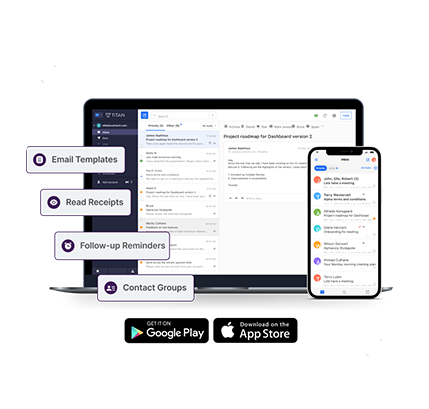
Get a professional email for your business with all the powerful features of Gmail.
Add reminders, schedule meetings and never miss a thing with Google's smart calendar.
Stay connected with your colleagues via HD video calls and instant messages using Google Meet and Google Chat.

Manage users, groups, permissions and migrate existing accounts to Google Workspace easily from the Admin Console.
Retain and manage how your organizations data is stored and save what's important with Vault.
Manage and give access to your employees on their devices while keeping your data secure with Endpoint Management.

Collaborate in real time, store your files on the cloud, share and access them from anywhere.
Search across all your organizations content. From Gmail and Drive to Docs, Sheets, Slides, Calendar, and more.
Discuss new ideas, engage in meaningful conversations and stay up to date with Currents.
Provide timely, clear, and helpful responses to customer inquiries, ensuring satisfaction and building trust
Contact UsAs opposed to free email solutions, you can give your business a more professional image with Business Email by getting email that is branded with your company's domain name (ex. sales@mybrand.com). In addition, you also benefit from our advanced email technology that gives you the least latency and industry-best uptime, scalability and reliability. An email service being served out of the cloud also means no IT, hardware, software, bandwidth or people costs. And the best part is that you can add email accounts as and when your team grows.
You can send and receive emails using any desktop-based email client such as Microsoft Outlook, Outlook Express, Mozilla Thunderbird, Eudora, Entourage 2004, Windows Mail, etc. We also have a guide on how you can configure different email clients to send/receive emails. The enterprise email product supports the POP, IMAP and MAPI protocols.
To access your Webmail Interface, you can use the white-labelled URL: http://webmail.yourdomainname.com. Once on the log in page, you would need to login with your email address and the corresponding password.
Your email can be accessed using any Smartphone or Tablet. Our fluidic webmail, built on HTML 5 & Javascript, is compatible on all major Operating systems such as iOS, Android, Windows Mobile, Symbian and Blackberry.
Each email account comes with 5 GB space dedicated to emails.
Usually, the port used for the Outgoing Mail Server/SMTP Service is 25. However, there might be a situation where your ISP might be blocking the use of port 25 for SMTP service. To circumvent this you can use an alternate port 587 for sending mails.
Yes, you can create mailing lists and add/delete users, select a moderator, restrict people from joining a list or even ban users from a list. More information on this can be found in our knowledgebase.
We take a zero tolerance stance against sending of unsolicited email, bulk emailing, and spam. "Safe lists", purchased lists, and selling of lists will be treated as spam. Any user who sends out spam will have their account terminated with or without notice.